
Microsoft's Servers Failed Their Own Health Check. You Found Out 97 Minutes Late.
It wasn't your Wi-Fi. It wasn't your password, your laptop, or the new guy in accounting. On Thursday, November 12, 2026, Microsoft's own servers failed Microsoft's own health checks and walked off the job in the middle of the business day.
A Microsoft 365 service incident is an unplanned disruption that Microsoft declares, numbers, and tracks in the Service health dashboard of the Microsoft 365 admin center. This one needed three numbers: TM1550488 for Microsoft Teams, EX1550543 for Exchange Online, and MO1550821 for the wider Microsoft 365 suite.
Exchange Online is the hosted mailbox service behind business Outlook. When it stops answering, Outlook is a very expensive icon.
I read Microsoft's incident log line by line instead of rewriting its social posts. Three things in it should bother you, and none of them made the headlines.
This article is current as of 3:15 p.m. Eastern on November 12. Microsoft had not declared the incident resolved at that time.
Why did you find out 97 minutes late?
Because Microsoft told its admin dashboard first and the public second.
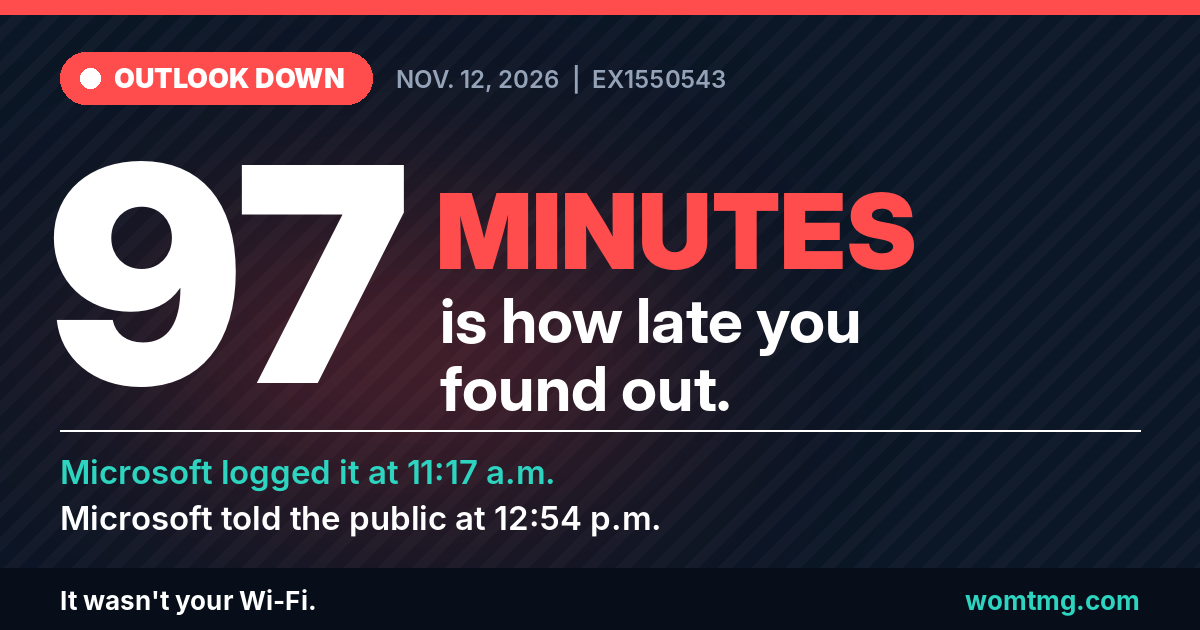
Microsoft's own start time for the Exchange incident is 11:17 a.m. Eastern. The first entry in its incident log is stamped 11:20 a.m. Its first public post about email went out at 12:54 p.m.
That is 97 minutes.
Anyone with Service health alerts turned on had something to read at 11:20. Everyone else spent the lunch hour restarting Outlook, rebooting routers, and blaming the internet provider.
I am not saying Microsoft hid anything. The log was there the whole time. I am saying most small businesses have never opened it, and on Thursday that cost them an hour and a half.
Did Microsoft get its own diagnosis wrong?
Its first theory pointed at traffic. About an hour later, Microsoft ruled that out itself.
- 12:45 p.m. - connection errors. The incident log said Microsoft had found connectivity errors on the part of Exchange Online that receives and processes mailbox access requests.
- About 1:35 p.m. - heavy load. Microsoft 365 Status posted that a portion of its infrastructure was under elevated load across multiple regions. Its service health entry said it was reviewing an unexpected increase in one type of service traffic.
- About 2:40 p.m. - the correction. Microsoft said the load was not driven by an increase in traffic. A number of servers had become "unexpectedly unavailable," and the ones still standing were carrying everybody.
- 2:43 p.m. - the mechanism. The incident log said the affected servers were failing automated health checks, and that this may be related to a recent change to a component involved in processing those checks.
Read number four again. The safety system is the suspect.
Large services test their own servers constantly and pull any that fail. On November 12, by Microsoft's account, servers kept failing that test. They took themselves out of rotation, and every one that left dumped its work on the rest.
Microsoft's word is "may." It has not confirmed a root cause. But its response tells you where it was looking: it paused all deployments and went back through its own recent changes.
Was it a cyberattack?
Microsoft has not attributed this outage to an attack, and nothing it has published points to one.
The less exciting answer is the one on the record: a machine built to remove unhealthy servers appears to have removed too many. I am not going to speculate past that. If the post-incident review says otherwise, this article will change.
What actually went down?
More than Outlook. Microsoft's log names the services and the ways of connecting.
Exchange Online connection methods listed under EX1550543:
- Outlook on the web - mail in a browser
- MAPI - the classic Outlook desktop app
- Exchange ActiveSync - the protocol many phone mail apps use
- REST API - used by newer apps and integrations
So no, switching from the desktop app to the browser was never going to save you.
Services listed as potentially affected under MO1550821:
- Exchange Online
- Microsoft Teams
- SharePoint Online
- Microsoft Copilot 365
- Microsoft Defender XDR
Look at that list. If your plan for an email outage was "we'll just use Teams," your backup was in the same building as the fire. Your security console was on the list too.
Microsoft first described the Exchange problem as limited to the Americas. At about 1:07 p.m. it widened that, saying the issue could affect Microsoft 365 connectivity "for users in any region."
User reports to the outage tracker Downdetector for Outlook peaked above 130,000 at around 1:15 p.m. Eastern, according to The Washington Times. Those are complaints people chose to file. They are not a count of affected users, and Microsoft has not published one.
What is the timeline, minute by minute?
Times are Eastern, converted from Microsoft's UTC timestamps. "Log" entries come from Microsoft's incident feed as mirrored publicly by the University of Pennsylvania. "X" entries are posts from Microsoft 365 Status, where times are approximate.
- 9:45 a.m.Microsoft log
TM1550488 start time. Teams chat and message loading problems in North and South America.
- 10:53 a.m.Microsoft log
TM1550488 end time.
- 11:17 a.m.Microsoft's clock startsMicrosoft log
EX1550543 start time.
97 minutes between Microsoft's own start time and its first public post
- 11:20 a.m.Microsoft log
First entry: investigating a potential Exchange Online issue.
- 12:08 p.m.Microsoft log
Teams incident declared fully resolved. Preliminary cause: resource contention in underlying infrastructure.
- 12:45 p.m.Microsoft log
Connectivity errors found on part of the Exchange Online infrastructure. Network logs collected.
- 12:54 p.m.The public is toldPublic post on X
First public post about mailbox access in the Americas.
- About 1:07 p.m.Public post on X
Scope widened to users in any region.
- 1:19 p.m.Microsoft log
Elevated load across several regions. Restarting and repairing affected infrastructure.
- 1:26 p.m.Microsoft log
MO1550821 opened for multiple Microsoft 365 services.
- 1:29 p.m.Microsoft log
Some US traffic redirected away from the affected infrastructure.
- 1:43 p.m.Microsoft log
Servers going intermittently unavailable. Outlook connections being redistributed worldwide, with possible added latency.
- About 1:59 p.m.Status page
Redistribution complete. More traffic being moved off affected infrastructure.
- About 2:12 p.m.Public post on X
All deployments paused. Affected servers being restarted.
- About 2:40 p.m.Public post on X
Load is not from more traffic. Servers are unexpectedly unavailable.
- 2:43 p.m.The mechanismMicrosoft log
Servers are failing automated health checks, possibly tied to a recent change.
- About 3:00 p.m.Public post on X
Testing a configuration change. Restart of all affected servers started.
One more thing in that table. Microsoft declared the Teams incident fully resolved at 12:08 p.m. Exchange had already been failing for 51 minutes. Microsoft has not said the two share a cause, so I am keeping them separate until it does.
Is it fixed?
Not as of 3:15 p.m. Eastern on November 12. Microsoft's latest update at that time said it was testing a configuration change and restarting all affected servers.
Microsoft's service health documentation defines the stages an incident moves through:
- Service degradation - a confirmed issue that may affect use of a service
- Restoring service - the cause is known and the fix is being applied
- Extended recovery - most users are restored, some systems will take longer
- Service restored - the underlying problem is resolved
Both open incidents were at "service degradation" when I last checked the record. Expect a bumpy return. Microsoft itself warned that redistributing connections could add latency.
What should I do during a Microsoft 365 outage?
Less than you want to. Restarting Outlook is a ritual, not a fix.
- Check the source first. Go to status.cloud.microsoft. Microsoft's documentation names it as the page to use when you cannot sign in to the admin center.
- If you are an admin, open the incident. In the admin center, go to Health, then Service health, and look up the incident number.
- Leave Outlook alone. Reinstalling Office, rebuilding a mail profile, or resetting passwords does not fix a server that will not answer. It gives you a second problem to clean up later.
- Use what still works. Classic Outlook running in Cached Exchange Mode keeps a local copy of your mailbox. You can read existing mail and draft replies offline.
- Pick up the phone. Call the customers who were expecting something from you today. Tell staff which channel to use until mail is back.
- Do not sign in from a link. Microsoft is repairing its own servers. Any message asking you to sign in, "reactivate," or "restore" a mailbox because of the outage is not part of that repair.
- Check your mail when service returns. Microsoft described a problem connecting to mailboxes. It has not reported lost mail. Confirm for yourself that expected messages arrived and that what you sent actually left your outbox.
What should I set up before the next one?
Three settings and one sheet of paper. None of them cost anything.
- Service health email alerts. In Service health, choose Customize, then Email. Microsoft allows up to two addresses per admin. Make one of them an address outside Microsoft 365. An alert about an Exchange Online outage is no use sitting in an Exchange Online mailbox.
- A bookmark. Put status.cloud.microsoft somewhere other than your email.
- A second channel that is not Microsoft. A fallback that lives in the same suite is not a fallback.
- A printed contact list. Key customers, vendors, and staff, with phone numbers. If your contacts live only in Outlook, they go down with Outlook.
This is the availability side of shared responsibility in Microsoft 365. Microsoft runs the platform. How your business operates when the platform is down is on you. The same goes for every SaaS product you depend on.
Can email keep working while Microsoft is down?
Yes, if the piece that does it is in place before the outage starts.
Cloud Shield is WOM's email security, encryption, and backup layer for Microsoft 365 and Google Workspace. Part of it runs on Proofpoint, which sits in front of your mailbox instead of inside Microsoft. On a day like Thursday, that position is the whole point.
When Exchange Online cannot be reached, Proofpoint's Emergency Inbox gives Cloud Shield customers a separate place to read incoming mail and send replies. Your customers' messages are held for you instead of sitting behind a server that is not answering.
I will say it plainly: the Emergency Inbox alone is worth having Cloud Shield. The filtering, encryption, and backup are what you use every day. The Emergency Inbox is what you use on the afternoon Microsoft is the problem.
It does not fix Microsoft. It does not bring back Teams or SharePoint. It keeps email moving, and email is how your customers reach you.
Will Microsoft ever tell you what really happened?
Yes, and almost nobody reads it.
For broad incidents, Microsoft's service health and continuity documentation commits to a post-incident review on two deadlines:
- Preliminary review - within 48 hours of the incident being resolved
- Final review - within five business days
The final review covers customer impact, start and end times, a detailed timeline, and root cause with the corrective actions Microsoft is taking. It is published in Service health. It does not come looking for you.
Read it. It is the only place the word "may" gets replaced with a cause.
Is this just what the cloud costs now?
By Microsoft's own number, yes.
The same documentation lists worldwide Microsoft 365 uptime by quarter: 99.526% for the first quarter of 2026 and 99.994% for the second.
Do the arithmetic on the first one. A 90-day quarter has 2,160 hours. The missing 0.474% is roughly 10 hours.
That is a worldwide average, not a measure of any one company's day. But it means hours of disruption in a quarter is something Microsoft has already reported this year. Thursday was not a freak event. It was the product working the way the numbers say it sometimes does.
Whether an outage earns you a service credit depends on the service level agreement in your own Microsoft contract. Ask whoever sold you the licenses. I am not quoting terms I have not read in your agreement.
What this means for a business your size
Here is the uncomfortable part. If your plan for a Microsoft outage is "wait for Microsoft," you do not have a continuity plan. You have a subscription.
A large company has an IT department watching Service health. It knew at 11:20 a.m. A 15-person office usually finds out when the owner's phone stops getting mail, then burns an hour deciding whether the problem is the office, the internet provider, or Microsoft.
That hour is the only part you control.
On Florida's Treasure Coast, the Exchange incident began at 11:17 a.m. on a Thursday. That is mid-morning for a medical office in Stuart, a title company in Port St. Lucie, or a contractor in Vero Beach waiting on a permit email. The businesses with a plan made phone calls. The rest refreshed their inbox.
So answer four questions this week, while the afternoon still stings:
- Who gets Microsoft's incident alerts, and at what address?
- How do we reach customers when email is down?
- How do staff reach each other when Teams is down too?
- Who reads the post-incident review and tells the owner what it said?
If nobody owns those four answers, that is what helpdesk and IT support is for. WOM's customers do not find out about an outage from their own inbox going quiet.
Sources
- Microsoft 365 Status on X - first Exchange Online post, EX1550543
- Microsoft 365 Status on X - deployments paused, servers restarting
- Microsoft 365 Status on X - load not driven by traffic
- Microsoft 365 Status on X - configuration change under test
- Microsoft service health status page
- Microsoft Learn - How to check Microsoft 365 service health
- Microsoft Learn - Service health and continuity
- University of Pennsylvania - Microsoft's Incident Reports for PennO365 (public mirror of Microsoft's incident feed)
- The Washington Times - Downdetector report counts
Disclaimer. This article is provided for general information only. It is not legal, regulatory, or professional advice, and reading it does not create a client relationship with WOM Technology Management Group. Regulations, threats, and vendor products change; specific obligations depend on your industry, jurisdiction, contracts, and data. Verify anything you plan to rely on against the primary source and consult qualified counsel or a security professional before acting.
Sources are cited as of the last-reviewed date shown above. Where a linked source has moved or been withdrawn, the citation reflects what was verifiable at review time.